Domain scannen.de kaufen?
Wir ziehen mit dem Projekt
scannen.de um.
Sind Sie am Kauf der Domain
scannen.de interessiert?
domain@kv-gmbh.de · 0541-91531010
Domain scannen.de kaufen?
Kann man mit dem Drucker Epson Stylus Office BX300F scannen?
Ja, der Epson Stylus Office BX300F ist ein Multifunktionsdrucker, der auch scannen kann. Er verfügt über einen integrierten Scanner, mit dem Dokumente und Bilder gescannt und digitalisiert werden können. **
Wie kann ich Dokumente und Bilder mobil scannen, um sie digital zu speichern und weiterzuverarbeiten?
Du kannst eine Scanner-App auf deinem Smartphone installieren, um Dokumente und Bilder mobil zu scannen. Die gescannten Dateien können dann direkt auf deinem Gerät gespeichert oder in die Cloud hochgeladen werden. Anschließend kannst du sie weiterverarbeiten, bearbeiten oder teilen. **
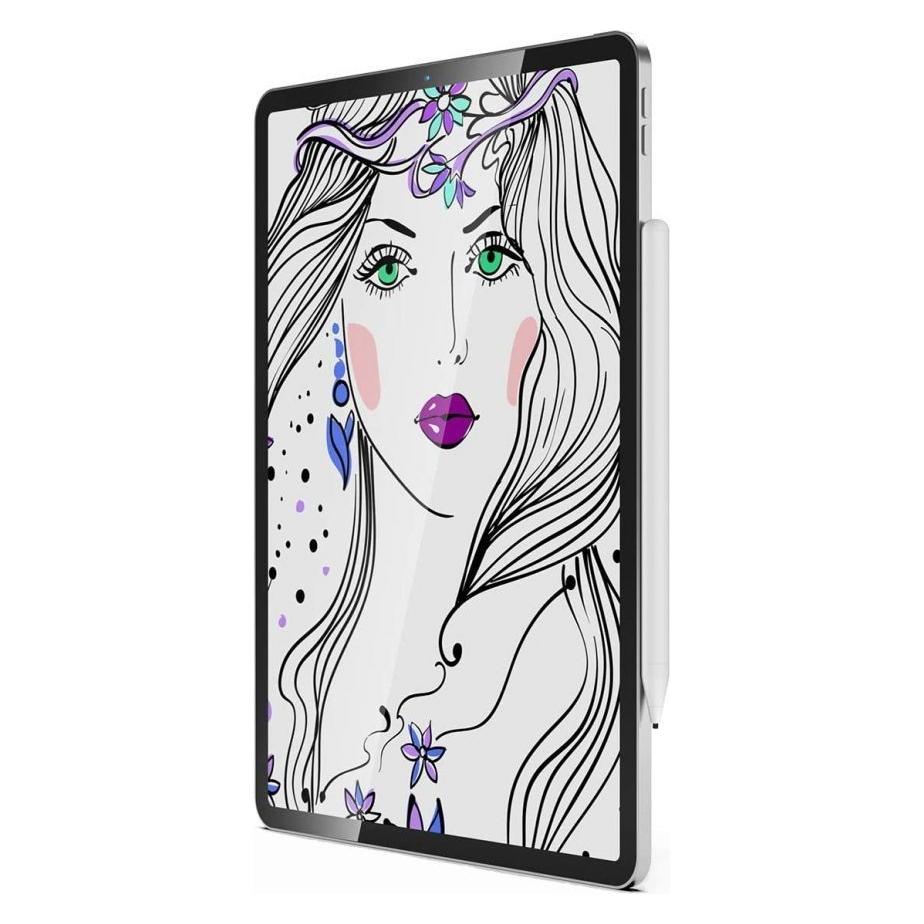

Ähnliche Suchbegriffe für Tech-Protect-Digital-Stylus-0795787711408
Top-Angebote
Produkte zum Begriff Tech-Protect-Digital-Stylus-0795787711408:
-
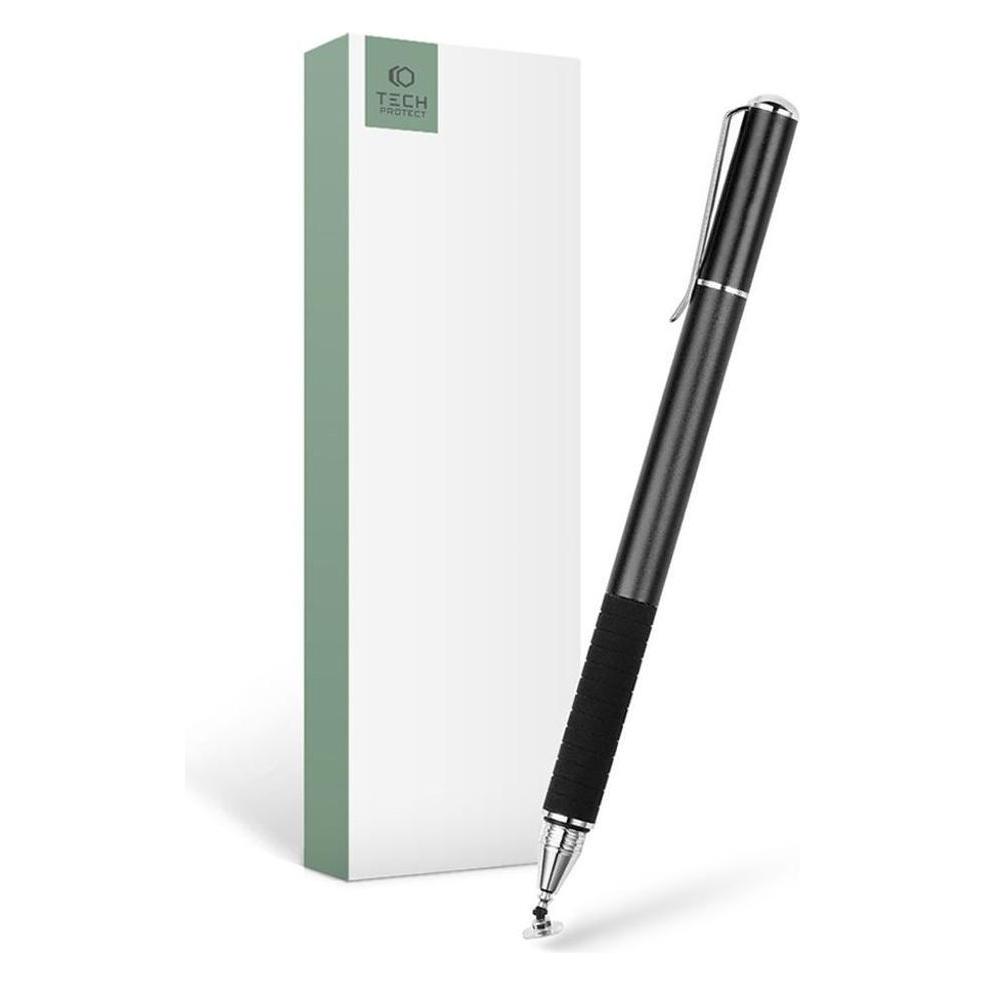
Tech-Protect Stylus - SilverThe stylus pen from Tech-Protect guarantees accuracy and precision when working with the tablet. Equipped with a thin tip that allows you to make a drawing even in small areas. An additional advantage is the ability to change the angle of inclination of the metal tip, so that it reflects the pencil on a piece of paper! The stylus is perfect for notes, graphics and smart device operation thanks to the second round head6,43 €*Versand: 2,99 €Sichere Weiterleitung zum Anbieter
-
Tech-Protect Digital Magnetic Stylus Pen 3 Magnetic for iPad - WhiteTech-Protect Digital Stylus is an advanced graphics tool that allows you to create precise graphics and drawings on your Apple iPad. A small tip and high touch sensitivity guarantee accuracy during drafting and graphic processing. The accessory has an ergonomic shape that minimizes hand fatigue and improves the comfort of use during work. Inside the stylus there is a small magnet similar to the one that is also found in the Apple Pencil. With it, we can conveniently attach the stylus to the side edge of any iPad with a magnetic connector. The operation of the device is simple and intuitive. Turning the stylus on and off is done by pressing the power button. The accessory will turn off automatically, to save energy, after 5 minutes of unresponsiveness. The stylus also has built-in LEDs that inform about the degree of discharge and the mode of operation of the device. The stylus must be connected to the iPad via Bluetooth. This function will also allow you to control the battery status of your stylus and wirelessly charge the accessory thanks to the inductive option of replenishing power by connecting the stylus to the magnetic connector located in the iPad.26,26 €*Versand: 2,99 €Sichere Weiterleitung zum Anbieter
-
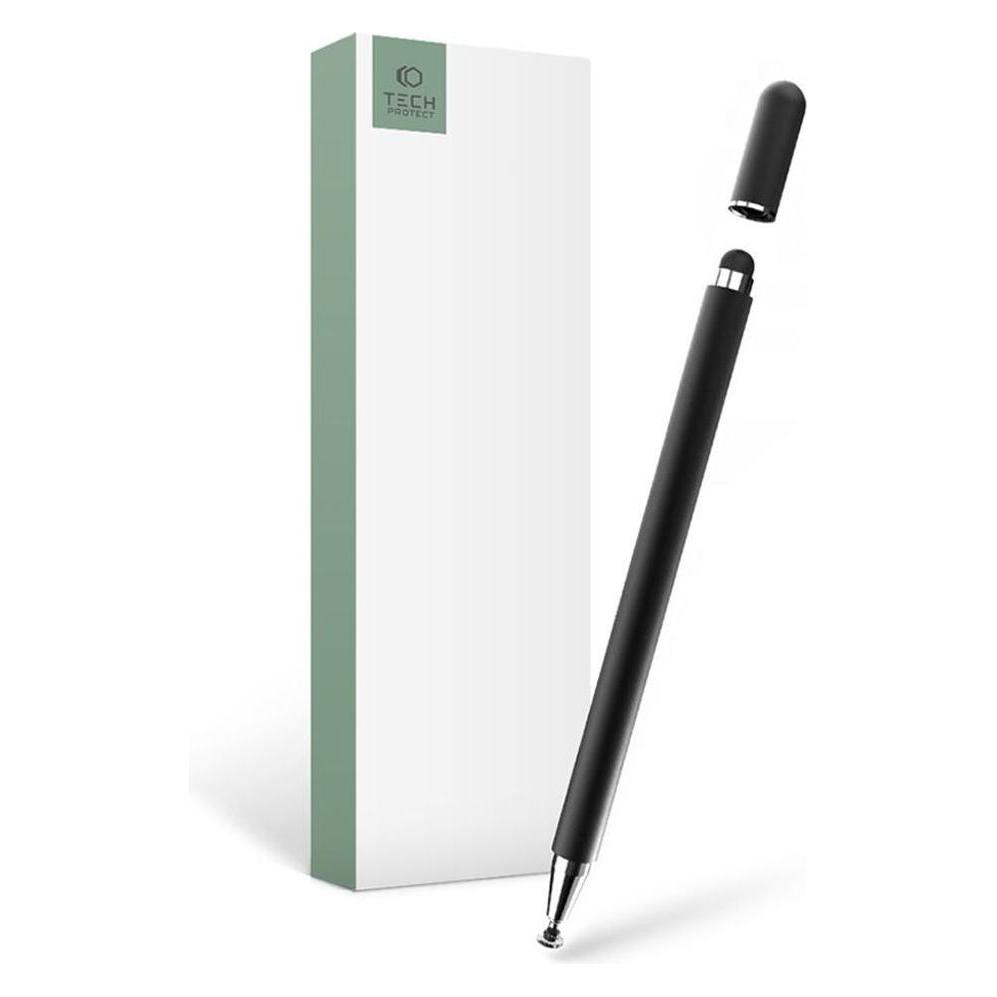
Tech-Protect USP200 3-TIP Stylus Passive Stylus - BlackThe Tech-Protect USP200 is an innovative tool that combines elegance and functionality, perfect for any tablet user. With precision tips on both sides, the stylus offers versatility and accuracy, whether you're drawing, taking notes, or creating graphics. Designed for precise drawing and writing, as well as facilitating more dynamic movements such as quick sketches or app use. In addition, they guarantee a long product life and the ability to adapt the stylus to the individual needs of the user. USP200, also features a pen-like writing tip, making it versatile and practical for everyday use. Its sturdy, minimalist design will perfectly complement any modern equipment. The Tech-Protect USP200 provides a smooth and comfortable user experience, and thanks to its interchangeable tips, it is also extremely practical. It's the perfect accessory for professionals and tech enthusiasts who are looking for reliability and style. With the Tech-Protect USP200, working on your tablet becomes even more enjoyable!8,88 €*Versand: 2,99 €Sichere Weiterleitung zum Anbieter
-
Tech-Protect Ombre Tablet Stylus - PurpleThe Ombre Stylus Pen from Tech-Protect guarantees accuracy and precision when working with a tablet. Equipped with a thin tip that allows you to make a drawing even in small areas. An additional advantage is the ability to change the angle of inclination of the metal tip, so that it reflects the pencil on a piece of paper!7,90 €*Versand: 5,99 €Sichere Weiterleitung zum Anbieter


-
Wie kann man Dokumente effizient und qualitativ hochwertig digital scannen?
Um Dokumente effizient und qualitativ hochwertig zu scannen, sollte man zunächst den Scanner richtig einstellen und die richtige Auflösung wählen. Zudem ist es wichtig, die Dokumente vor dem Scannen zu glätten und zu entknittern, um ein optimales Ergebnis zu erzielen. Abschließend sollte man die gescannten Dateien in einem geeigneten Format speichern und sicherstellen, dass sie gut lesbar und gut organisiert sind. **
-
Wie kann man am besten Dokumente digital scannen und speichern?
Man kann Dokumente am besten digital scannen, indem man einen Scanner verwendet und die Dateien im PDF-Format speichert. Anschließend können die digitalisierten Dokumente auf einem sicheren Cloud-Speicher oder einem externen Laufwerk gespeichert werden. Es ist wichtig, regelmäßige Backups durchzuführen, um sicherzustellen, dass die Daten nicht verloren gehen. **
-
Wie kann ich Dokumente scannen und digital speichern? Gibt es verschiedene Möglichkeiten, um Dokumente effizient zu scannen?
Ja, es gibt verschiedene Möglichkeiten, um Dokumente zu scannen und digital zu speichern. Du kannst entweder einen Scanner verwenden, der direkt mit deinem Computer verbunden ist, oder eine Scanner-App auf deinem Smartphone nutzen. Anschließend kannst du die gescannten Dokumente in verschiedenen Dateiformaten speichern, wie z.B. PDF oder JPG. **
-
Wie kann ich Dokumente einfach und sicher scannen und digital speichern?
Du kannst Dokumente einfach und sicher scannen, indem du einen Scanner benutzt oder eine Scanner-App auf deinem Smartphone verwendest. Anschließend kannst du die gescannten Dokumente in einer Cloud oder auf einer externen Festplatte digital speichern, um sie sicher aufzubewahren. Vergiss nicht, regelmäßige Backups deiner digitalen Dokumente zu machen, um Datenverlust zu vermeiden. **
Wie kann man Dokumente und Fotos effizient und hochauflösend digital scannen?
Um Dokumente und Fotos effizient und hochauflösend zu scannen, sollte man einen qualitativ hochwertigen Scanner verwenden. Zudem ist es wichtig, die richtige Auflösung und Dateiformat für den Scan auszuwählen. Um eine gute Bildqualität zu erhalten, sollte man die Vorlage sauber und gerade auf dem Scanner platzieren. **
Was ist Play Protect?
Play Protect ist ein von Google entwickelter Sicherheitsdienst für Android-Geräte, der dazu dient, schädliche Apps zu erkennen und zu blockieren. Er überprüft regelmäßig alle Apps im Google Play Store auf potenzielle Bedrohungen und warnt den Nutzer, falls eine App als unsicher eingestuft wird. Play Protect bietet somit einen zusätzlichen Schutz vor Malware und anderen Sicherheitsrisiken auf Android-Geräten. **
Top-Angebote
Produkte zum Begriff Tech-Protect-Digital-Stylus-0795787711408:
-
Tech-Protect Digital Magnetic Stylus for iPad - WhiteTech-Protect Digital Stylus is an advanced graphics tool that allows you to create precise graphics and drawings on your Apple iPad. A small tip and high touch sensitivity guarantee accuracy during drafting and graphic processing. The accessory has an ergonomic shape that minimizes hand fatigue and improves the comfort of use during work. Inside the stylus there is a small magnet similar to the one that is also found in the Apple Pencil. With it, we can conveniently attach the stylus to the side edge of the iPad Pro. The operation of the device is simple and intuitive. Turning on the stylus is done by gently touching its tip. The accessory will turn off automatically, to save energy, after 20 minutes of unresponsiveness. A built-in LED informs you about the status of the device's use. Blue indicates that the stylus is on, while red indicates when the stylus is on when the power level is low and when it is charging. The LED turns off when the device is fully charged, indicating that the device is ready for use again. The Tech-Protect stylus is a multifunctional tool that will work well in everyday use, as well as for making precise graphics and drawings on the Apple iPad.16,09 €*Versand: 2,99 €Sichere Weiterleitung zum Anbieter
-
Tech-Protect Stylus - SilverThe stylus pen from Tech-Protect guarantees accuracy and precision when working with the tablet. Equipped with a thin tip that allows you to make a drawing even in small areas. An additional advantage is the ability to change the angle of inclination of the metal tip, so that it reflects the pencil on a piece of paper! The stylus is perfect for notes, graphics and smart device operation thanks to the second round head6,43 €*Versand: 2,99 €Sichere Weiterleitung zum Anbieter
-
Tech-Protect Digital Magnetic Stylus Pen 3 Magnetic for iPad - WhiteTech-Protect Digital Stylus is an advanced graphics tool that allows you to create precise graphics and drawings on your Apple iPad. A small tip and high touch sensitivity guarantee accuracy during drafting and graphic processing. The accessory has an ergonomic shape that minimizes hand fatigue and improves the comfort of use during work. Inside the stylus there is a small magnet similar to the one that is also found in the Apple Pencil. With it, we can conveniently attach the stylus to the side edge of any iPad with a magnetic connector. The operation of the device is simple and intuitive. Turning the stylus on and off is done by pressing the power button. The accessory will turn off automatically, to save energy, after 5 minutes of unresponsiveness. The stylus also has built-in LEDs that inform about the degree of discharge and the mode of operation of the device. The stylus must be connected to the iPad via Bluetooth. This function will also allow you to control the battery status of your stylus and wirelessly charge the accessory thanks to the inductive option of replenishing power by connecting the stylus to the magnetic connector located in the iPad.26,26 €*Versand: 2,99 €Sichere Weiterleitung zum Anbieter
-
Kann man mit dem Drucker Epson Stylus Office BX300F scannen?
Ja, der Epson Stylus Office BX300F ist ein Multifunktionsdrucker, der auch scannen kann. Er verfügt über einen integrierten Scanner, mit dem Dokumente und Bilder gescannt und digitalisiert werden können. **
-
Wie kann ich Dokumente und Bilder mobil scannen, um sie digital zu speichern und weiterzuverarbeiten?
Du kannst eine Scanner-App auf deinem Smartphone installieren, um Dokumente und Bilder mobil zu scannen. Die gescannten Dateien können dann direkt auf deinem Gerät gespeichert oder in die Cloud hochgeladen werden. Anschließend kannst du sie weiterverarbeiten, bearbeiten oder teilen. **
-
Wie kann man Dokumente effizient und qualitativ hochwertig digital scannen?
Um Dokumente effizient und qualitativ hochwertig zu scannen, sollte man zunächst den Scanner richtig einstellen und die richtige Auflösung wählen. Zudem ist es wichtig, die Dokumente vor dem Scannen zu glätten und zu entknittern, um ein optimales Ergebnis zu erzielen. Abschließend sollte man die gescannten Dateien in einem geeigneten Format speichern und sicherstellen, dass sie gut lesbar und gut organisiert sind. **
-
Wie kann man am besten Dokumente digital scannen und speichern?
Man kann Dokumente am besten digital scannen, indem man einen Scanner verwendet und die Dateien im PDF-Format speichert. Anschließend können die digitalisierten Dokumente auf einem sicheren Cloud-Speicher oder einem externen Laufwerk gespeichert werden. Es ist wichtig, regelmäßige Backups durchzuführen, um sicherzustellen, dass die Daten nicht verloren gehen. **
Ähnliche Suchbegriffe für Tech-Protect-Digital-Stylus-0795787711408
-
Tech-Protect USP200 3-TIP Stylus Passive Stylus - BlackThe Tech-Protect USP200 is an innovative tool that combines elegance and functionality, perfect for any tablet user. With precision tips on both sides, the stylus offers versatility and accuracy, whether you're drawing, taking notes, or creating graphics. Designed for precise drawing and writing, as well as facilitating more dynamic movements such as quick sketches or app use. In addition, they guarantee a long product life and the ability to adapt the stylus to the individual needs of the user. USP200, also features a pen-like writing tip, making it versatile and practical for everyday use. Its sturdy, minimalist design will perfectly complement any modern equipment. The Tech-Protect USP200 provides a smooth and comfortable user experience, and thanks to its interchangeable tips, it is also extremely practical. It's the perfect accessory for professionals and tech enthusiasts who are looking for reliability and style. With the Tech-Protect USP200, working on your tablet becomes even more enjoyable!8,88 €*Versand: 2,99 €Sichere Weiterleitung zum Anbieter
-
Tech-Protect Ombre Tablet Stylus - PurpleThe Ombre Stylus Pen from Tech-Protect guarantees accuracy and precision when working with a tablet. Equipped with a thin tip that allows you to make a drawing even in small areas. An additional advantage is the ability to change the angle of inclination of the metal tip, so that it reflects the pencil on a piece of paper!7,90 €*Versand: 5,99 €Sichere Weiterleitung zum Anbieter
-
Wie kann ich Dokumente scannen und digital speichern? Gibt es verschiedene Möglichkeiten, um Dokumente effizient zu scannen?
Ja, es gibt verschiedene Möglichkeiten, um Dokumente zu scannen und digital zu speichern. Du kannst entweder einen Scanner verwenden, der direkt mit deinem Computer verbunden ist, oder eine Scanner-App auf deinem Smartphone nutzen. Anschließend kannst du die gescannten Dokumente in verschiedenen Dateiformaten speichern, wie z.B. PDF oder JPG. **
-
Wie kann ich Dokumente einfach und sicher scannen und digital speichern?
Du kannst Dokumente einfach und sicher scannen, indem du einen Scanner benutzt oder eine Scanner-App auf deinem Smartphone verwendest. Anschließend kannst du die gescannten Dokumente in einer Cloud oder auf einer externen Festplatte digital speichern, um sie sicher aufzubewahren. Vergiss nicht, regelmäßige Backups deiner digitalen Dokumente zu machen, um Datenverlust zu vermeiden. **
-
Wie kann man Dokumente und Fotos effizient und hochauflösend digital scannen?
Um Dokumente und Fotos effizient und hochauflösend zu scannen, sollte man einen qualitativ hochwertigen Scanner verwenden. Zudem ist es wichtig, die richtige Auflösung und Dateiformat für den Scan auszuwählen. Um eine gute Bildqualität zu erhalten, sollte man die Vorlage sauber und gerade auf dem Scanner platzieren. **
-
Was ist Play Protect?
Play Protect ist ein von Google entwickelter Sicherheitsdienst für Android-Geräte, der dazu dient, schädliche Apps zu erkennen und zu blockieren. Er überprüft regelmäßig alle Apps im Google Play Store auf potenzielle Bedrohungen und warnt den Nutzer, falls eine App als unsicher eingestuft wird. Play Protect bietet somit einen zusätzlichen Schutz vor Malware und anderen Sicherheitsrisiken auf Android-Geräten. **
* Alle Preise verstehen sich inklusive der gesetzlichen Mehrwertsteuer und ggf. zuzüglich Versandkosten. Die Angebotsinformationen basieren auf den Angaben des jeweiligen Shops und werden über automatisierte Prozesse aktualisiert. Eine Aktualisierung in Echtzeit findet nicht statt, so dass es im Einzelfall zu Abweichungen kommen kann. ** Hinweis: Teile dieses Inhalts wurden von KI erstellt.